LifeSG Service Finder

UI/UX Case Study — Information Architecture Redesign

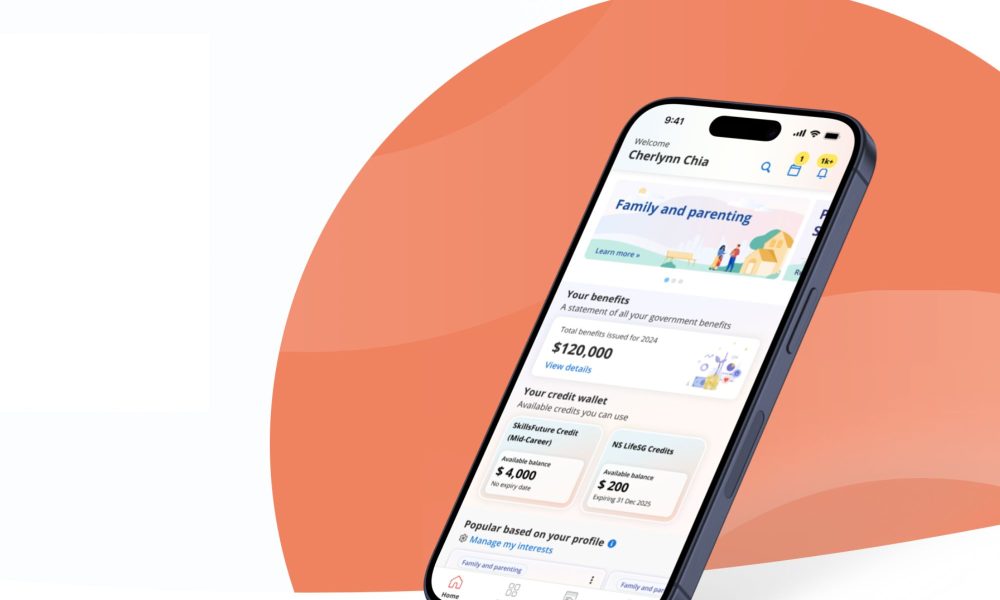
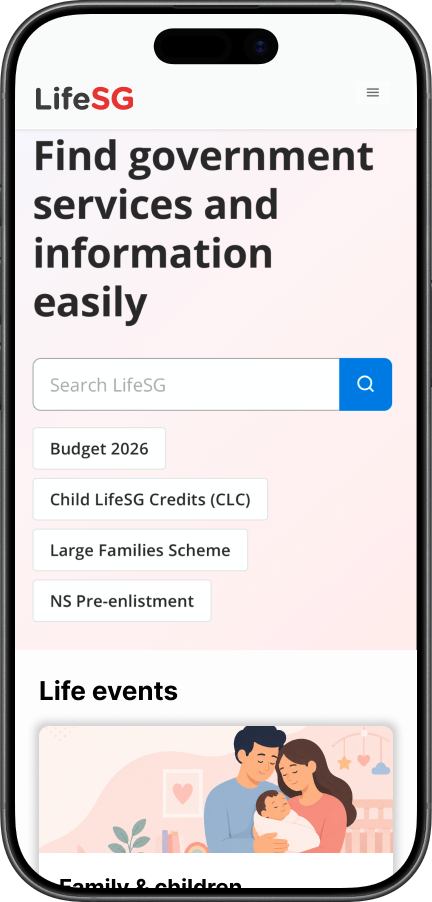
LifeSG Service Finder Cover Image

Overview

LifeSG is Singapore’s flagship digital service for citizens — the public face of how residents access government schemes, benefits, and information online. It evolved from an earlier product called Moments of Life, which was built around a life-event framing: services organised by what is happening in a user’s life rather than by which agency runs them.

In this self-initiated case study, Elnathan redesigned the information architecture of LifeSG’s logged-out mobile web landing to resolve a specific tension observed in the live product. It is a concept project, not a commissioned redesign. No work was done with the LifeSG team, no formal user research was conducted, and no analytics data was accessed. Every observation is based on directly using life.gov.sg in April 2026, and every recommendation is positioned as the kind of decision that would be validated with data and testing in a real engagement.

The aim was to demonstrate information architecture thinking — diagnosing structural problems, proposing calibrated solutions, and reasoning through tradeoffs — rather than visual design or interaction polish.

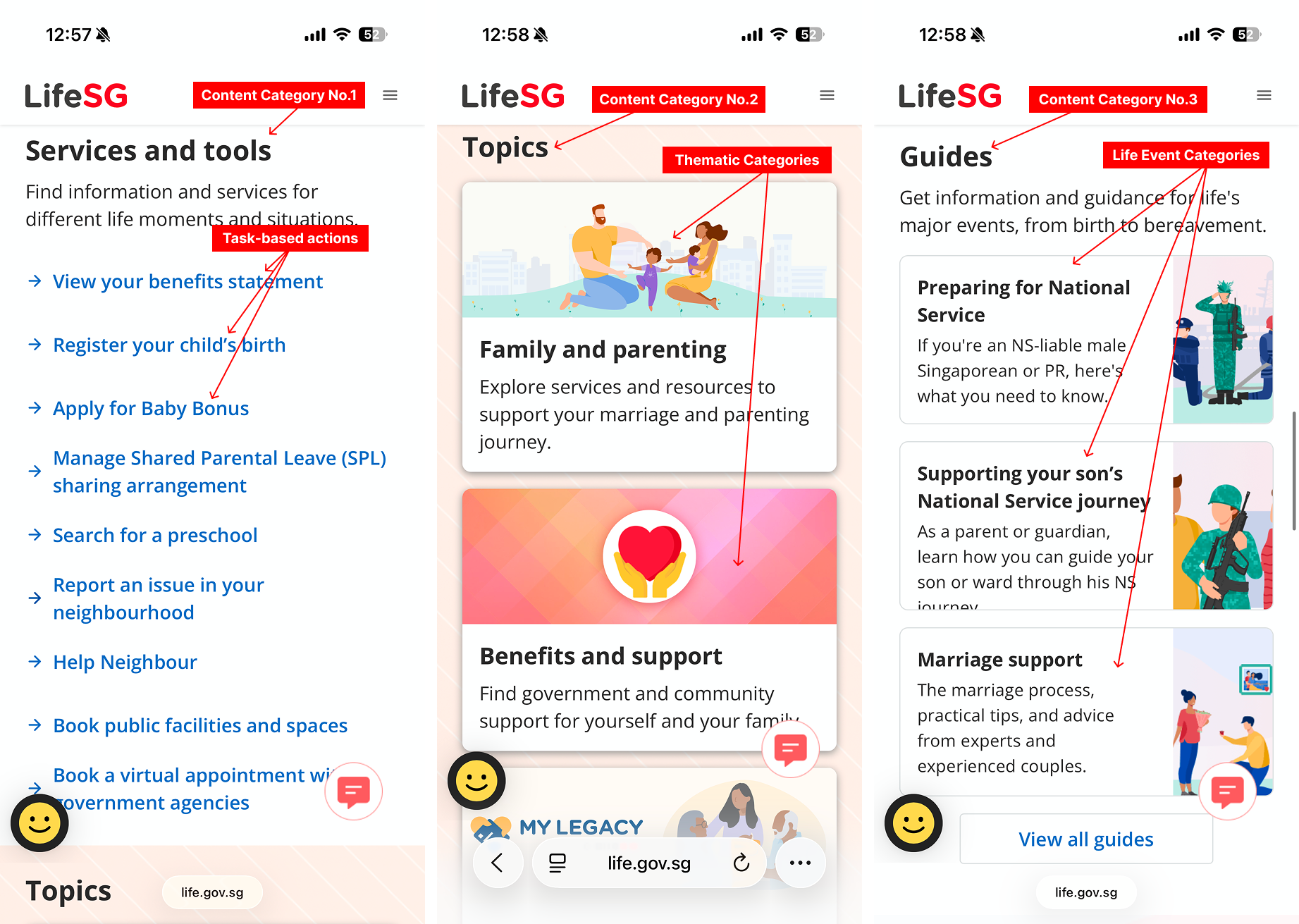
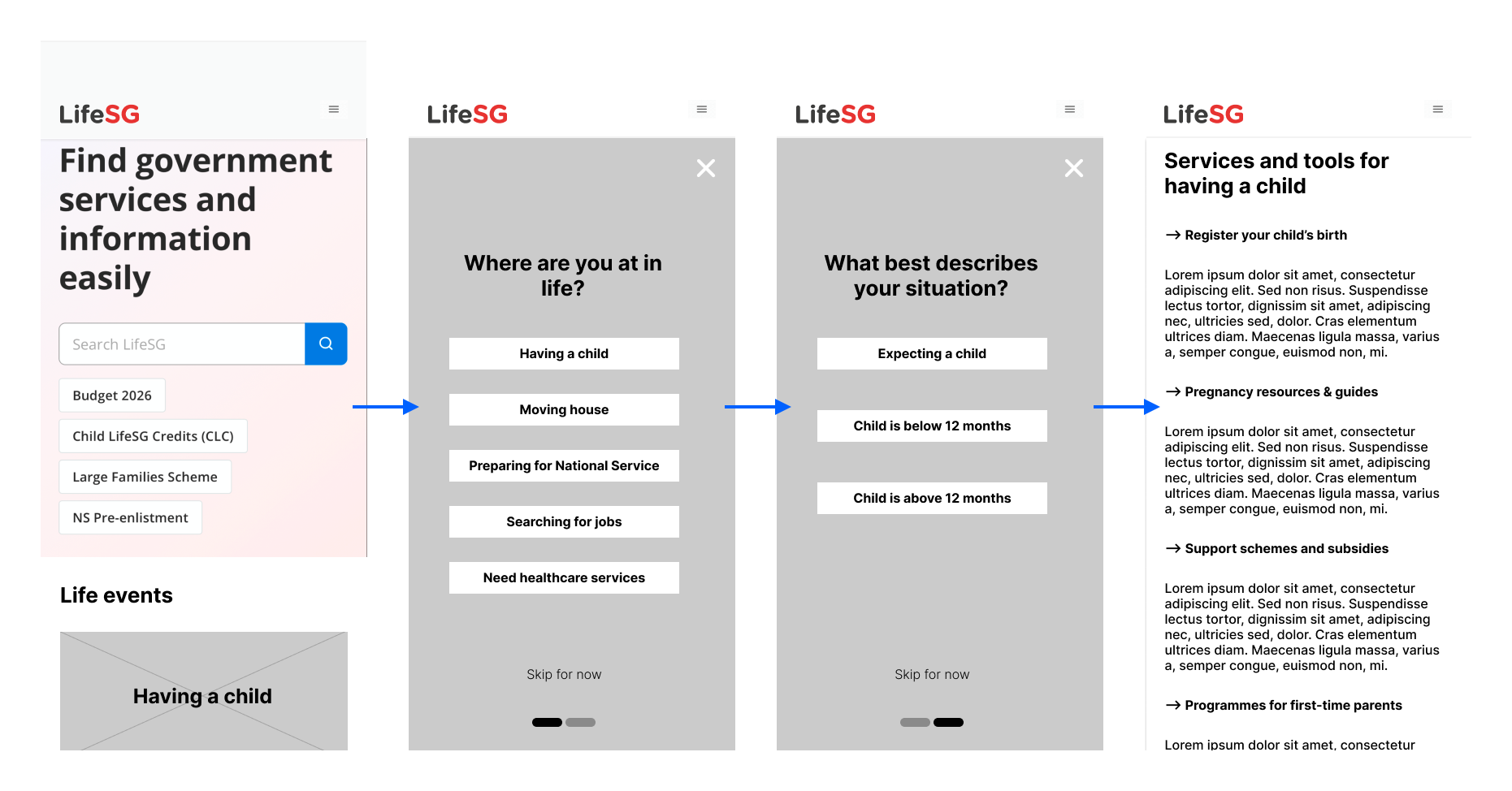
Current home page flow

The Problem

Opening LifeSG as a first-time visitor, Elnathan observed that four distinct navigation systems coexist on the landing page: a flat, task-based list of Services and tools (“View your benefits statement,” “Register your child’s birth,” “Apply for Baby Bonus”); thematic category cards under Topics (“Family and parenting,” “Benefits and support”); narrative, life-event-framed cards under Guides (“Preparing for National Service,” “Marriage support”); and trending topical pills near the top of the page (“Budget 2026,” “Child LifeSG Credits,” “NS Pre-enlistment”).

Each navigation system is well-designed in isolation. The problem is that they coexist without hierarchy. No primary entry is declared, and the four systems overlap in what they cover. A user looking for Baby Bonus can reach it via search, via the Services list, via the Family and parenting topic, or via a Guide — each path with different scaffolding and different downstream context.

This is not a flaw. It is a tradeoff problem. The platform is trying to serve two distinct user intents simultaneously: high-intent users who know what they need and want to complete a specific task quickly, and low-intent users who are navigating a life transition without the vocabulary of government schemes. LifeSG’s current IA biases toward high-intent users. Life-event framing does exist — in the Topics section, in Guides, and in the brand’s heritage as Moments of Life — but it sits below the action-first list. A low-intent user scrolls past the content designed for them before they encounter it.

Users

Three user segments are relevant to service discovery. High-intent users know the specific scheme or service they need; they want to bypass discovery and go straight to the task, and they are well-served by the existing search bar and action shortcuts. Low-intent, exploratory users are in a life transition — a new baby, a job loss, caring for an elderly parent, approaching retirement — and do not yet have the vocabulary of schemes, agencies, or policy terms; they need a navigable starting point that matches how they understand their own situation. Accessibility-first users include significant Singapore demographics: elderly users, non-English primary speakers, and users accessing government services infrequently, who may fall into either intent group but experience higher friction at every choice point.

The redesign targets low-intent users as the primary audience, on the reasoning that high-intent users can navigate any interface with a functional search bar. Low-intent users are the group underserved by the current IA hierarchy.

Design Approach

Elnathan started from a principle that matters more in public-sector design than commercial design: intervene on what is broken, preserve what is working. LifeSG’s content, visual system, and underlying IA pieces are each individually reasonable. The problem is hierarchy and primary-entry ambiguity. So rather than proposing a full redesign, the intervention focused on consolidating the existing life-event framing into the primary entry point, demoting (not removing) action-first shortcuts and search, and preserving the existing Topics, Guides, and content layers — subordinated to the new hierarchy rather than replaced.

The intervention is structural, not visual. The redesign uses the existing SGDS design language — Inter typography, the red-and-white palette, familiar card patterns — so the change reads as evolution of the product’s existing direction, not as a replacement of it.

Revamping the IA

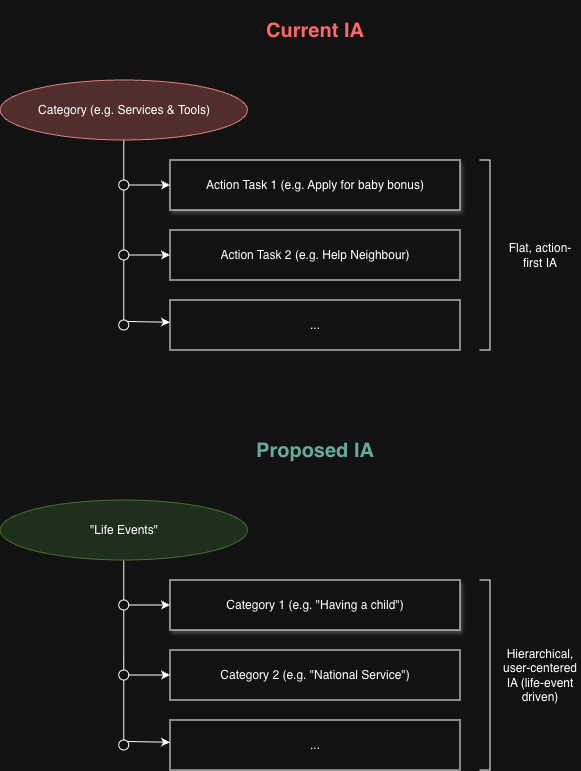
Before

On the current landing, the user encounters, in order: the hero search bar, trending topical chips, the Services and tools flat list, the Topics cards, the Guides cards, the app download promo, and the news feed. Life-event framing exists at positions 4 and 5 on the page. The flat action list occupies position 3.

After

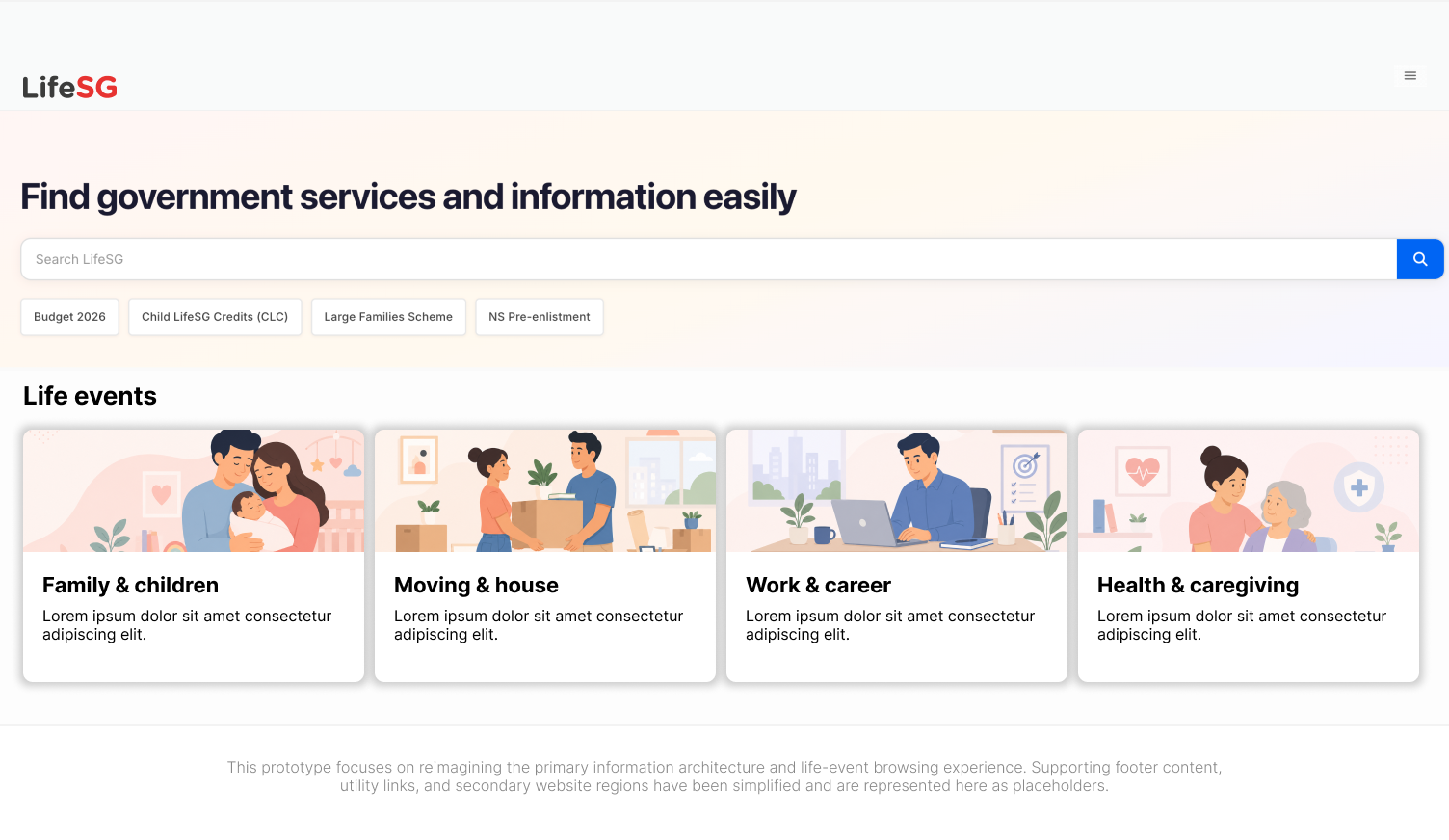
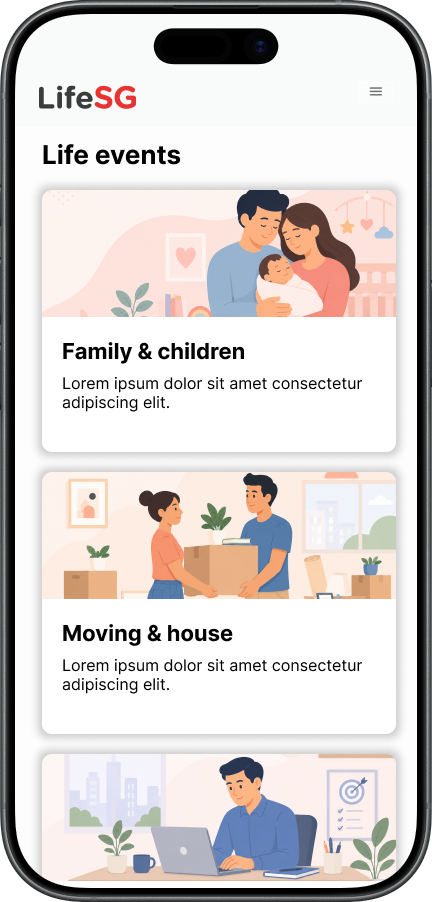
The new landing promotes a Life events grid to the primary position below the search bar. Actions, Topics, and Guides are not removed — they are accessed through the life event the user selects, rather than competing for attention at the top level. Search is preserved for high-intent users; trending chips are preserved but repositioned as secondary entry.

The new content hierarchy becomes: Life event → [curated actions, or stage filter] → Actions. Each life event has a dedicated destination with the relevant actions, and users can reach the existing Topics and Guides content from within the life event context via a “Browse all services by topic” link — honouring the existing IA rather than discarding it.

Information architecture — before and after

Two Proposed Options

Designing the destination for each life event, Elnathan identified two viable patterns. Both solve the same problem: a single life event like Having a child could have 15+ relevant services, and showing them as a flat list would recreate the original problem. The two options reduce that list to a manageable set through different mechanisms.

Option A — Editorial Curation

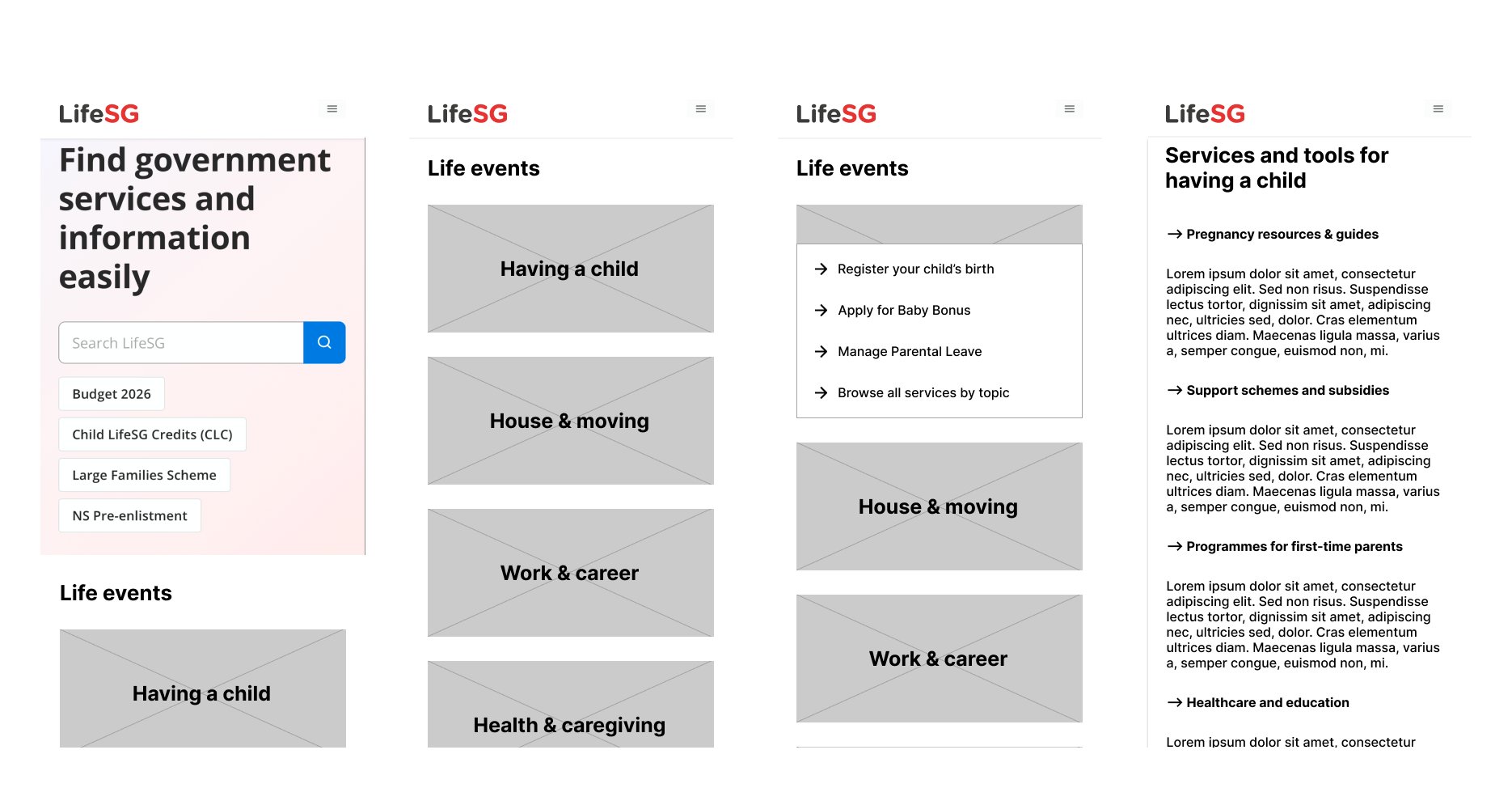
The platform editorially curates the three to five most commonly used actions for each life event. These appear as an inline expansion when the user taps the life event tile on the listing page. Sibling life events remain visible, preserving list context and supporting course-correction. For users whose needs fall outside the curated set, a “Browse all services by topic” link leads to a second page that groups the full service catalogue by service type.

Flow: Life events → tap “Having a child” → inline expansion shows curated actions and a “Browse all services by topic” link → (optionally) a topic-grouped detail page.

Option A flow — editorial curation with inline expansion

Option B — User Self-Segmentation

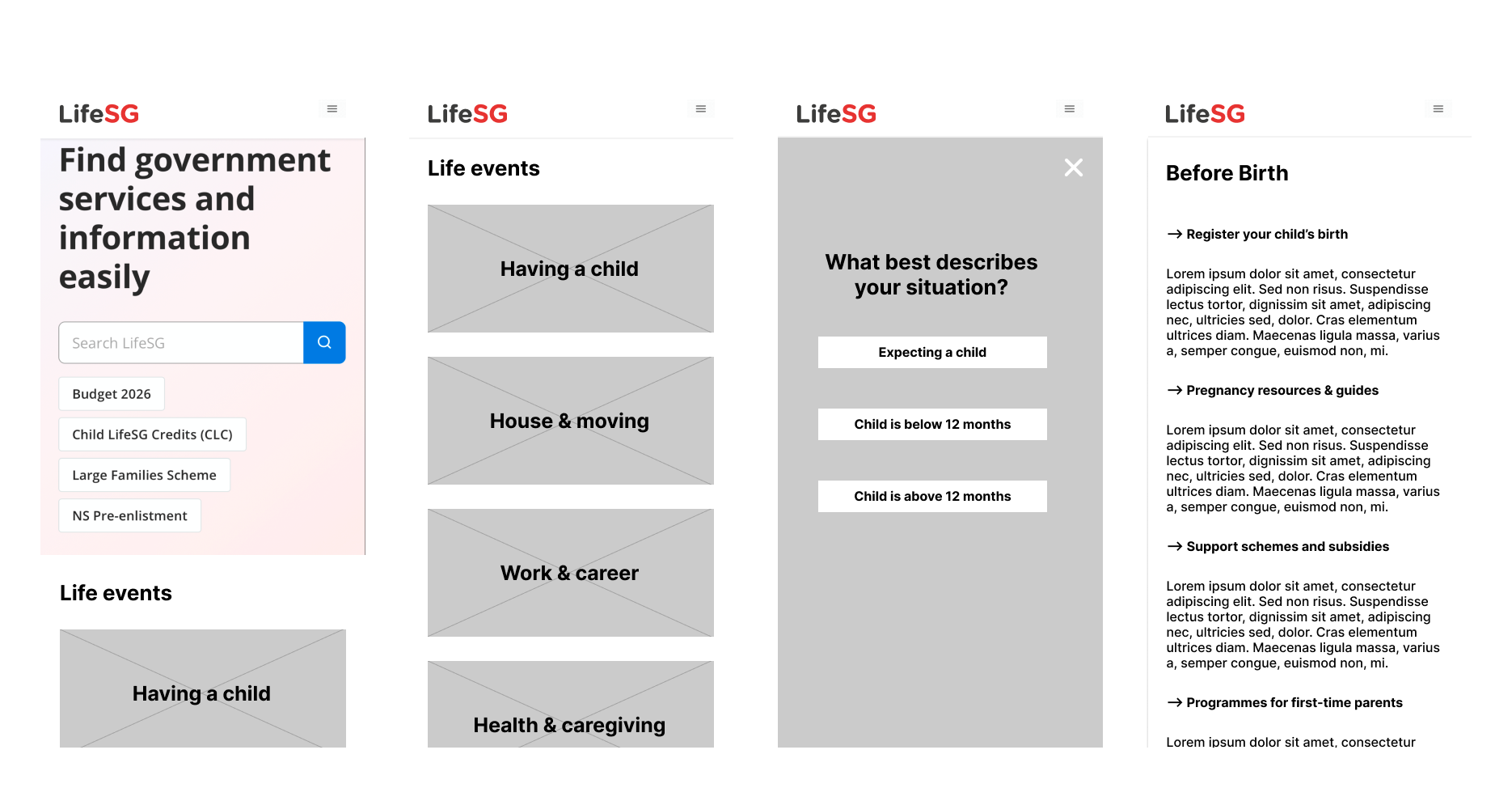
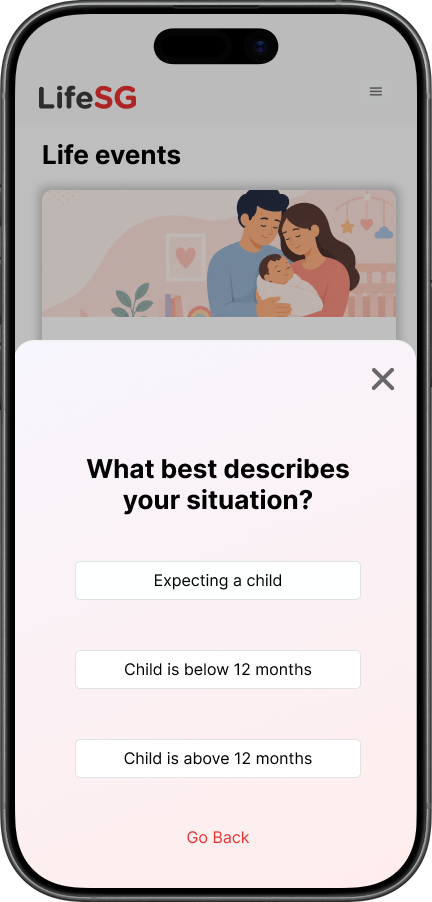
When the user taps a life event tile, a modal interrupts: “What best describes your situation?” The user selects their segment (for example, I am expecting a child / My child is below 12 months / My child is above 12 months) and lands on a stage-filtered destination page. Each stage shows only the actions relevant to that point in the user’s journey.

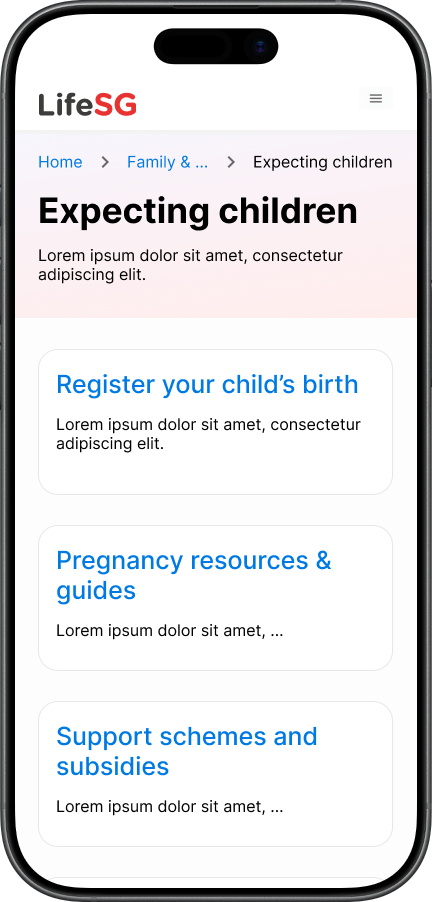
Flow: Life events → tap “Having a child” → modal asks for situation → tap “I am expecting a child” → “Before Birth” page with stage-filtered actions.

Option B flow — user self-segmentation via modal

Pros and Cons

Option A — Editorial Curation

Pros. Fastest path to action: two taps from landing to a relevant action. Preserves list context — sibling life events stay visible, supporting course-correction. Low cognitive load; no decisions beyond tapping a life event. Mirrors LifeSG’s existing Services and tools pattern, reducing retraining.

Cons. Curation is a platform decision, not a user decision. Users whose situation falls outside the curated top actions need to notice and click “Browse all services by topic” to find what they need. The inline expansion pattern works for small action lists but does not adapt when user needs genuinely differ across stages of the same life event. Requires usage analytics and search-query data to justify the curated ranking in a real deployment.

Option B — User Self-Segmentation

Pros. Content is personalised to the user’s declared context. Reduces irrelevant actions — a parent of a toddler does not see “register your child’s birth.” Makes the taxonomic decision the user’s rather than the platform’s, respecting user agency. Scales well for life events with meaningfully different content across stages.

Cons. Adds a tap and a decision point users cannot skip. Forces commitment: users exploring across segments (a second-trimester parent researching post-birth support early) must pick one before seeing content. The modal pattern conflicts with a principle applied elsewhere — that accordions hide content — and a modal is more aggressive than an accordion. The justification is that the modal is a decision gate, not concealment: it earns its friction by unlocking personalised content downstream. Requires more upfront editorial effort, as each stage needs its own content collection.

Recommendation

Rather than choosing one pattern globally, the recommendation is to treat the choice as an editorial decision made per life event.

  1. Option B for life events where user needs differ sharply by stage:
    • Having a child — pregnancy vs. newborn vs. toddler
    • Caring for an elderly parent — planning, active care, bereavement
    • Preparing for retirement — pre-retirement vs. active retirement
  2. Option A for life events where the action set is largely homogeneous:
    • Getting married — register marriage, housing grants, joint tax filing apply to most couples
    • Looking for work — SkillsFuture, Workfare, WSG portal apply regardless of career stage
    • Buying a home — BTO, grants, legal steps are mostly common across buyer profiles

The underlying claim is that IA depth should match content variance. Where user needs genuinely diverge by segment, the extra personalisation step repays its friction cost. Where needs converge, the simpler pattern wins. This is an editorial judgment made per life event, not a platform-wide rule — which reflects how real public-sector design teams (OGP, GDS) calibrate user experiences to the shape of the content they serve.

What This Case Study Demonstrates

  1. Diagnostic observation before designing. The problem named is specific to what was observed on the live product in April 2026, not hypothesised. Every wireframe is grounded in an actual LifeSG page.
  2. Working with the existing system. The redesign preserves LifeSG’s visual language, Topics, Guides, and search. It restructures rather than replaces, honouring the Moments of Life heritage the product was built on.
  3. Tradeoff-based reasoning. The case study does not assert that one pattern is better. It argues that the right pattern depends on content variance, and makes the argument explicit so it can be examined.
  4. Self-awareness about scope. This is concept work, not validated work. The recommendation is positioned as what would be proposed to test in a real engagement — not as a finished answer.

Next Steps

In a real engagement, the work does not end here:

  1. Usability testing with five to seven users across the three intent segments, observing the modal friction point in Option B directly.
  2. Analytics review of LifeSG’s real traffic to validate the curated top actions in Option A. Which schemes are applied for most frequently, and how does that vary by user segment?
  3. Per-life-event editorial audit to determine which life events have enough stage variance to justify Option B over Option A.
  4. Prototype in React and TypeScript for interaction validation — stage-filtered content routing is the kind of decision that benefits from being touched, not just viewed in Figma. This prototype is currently in development as a follow-up to this case study.


Figma Prototype

The wireframes below document both proposed flows in low fidelity. Annotations on each frame explain the design decisions behind the pattern choices and the IA hierarchy.

×